
🧊 The Iceberg
tech
Passwords and Account Security — What the New Rules Mean for You
Passwords aren't going away overnight, but the rules just changed — longer minimums, no more forced password changes, and a new standard called passkeys that could finally kill the login page as we know it.
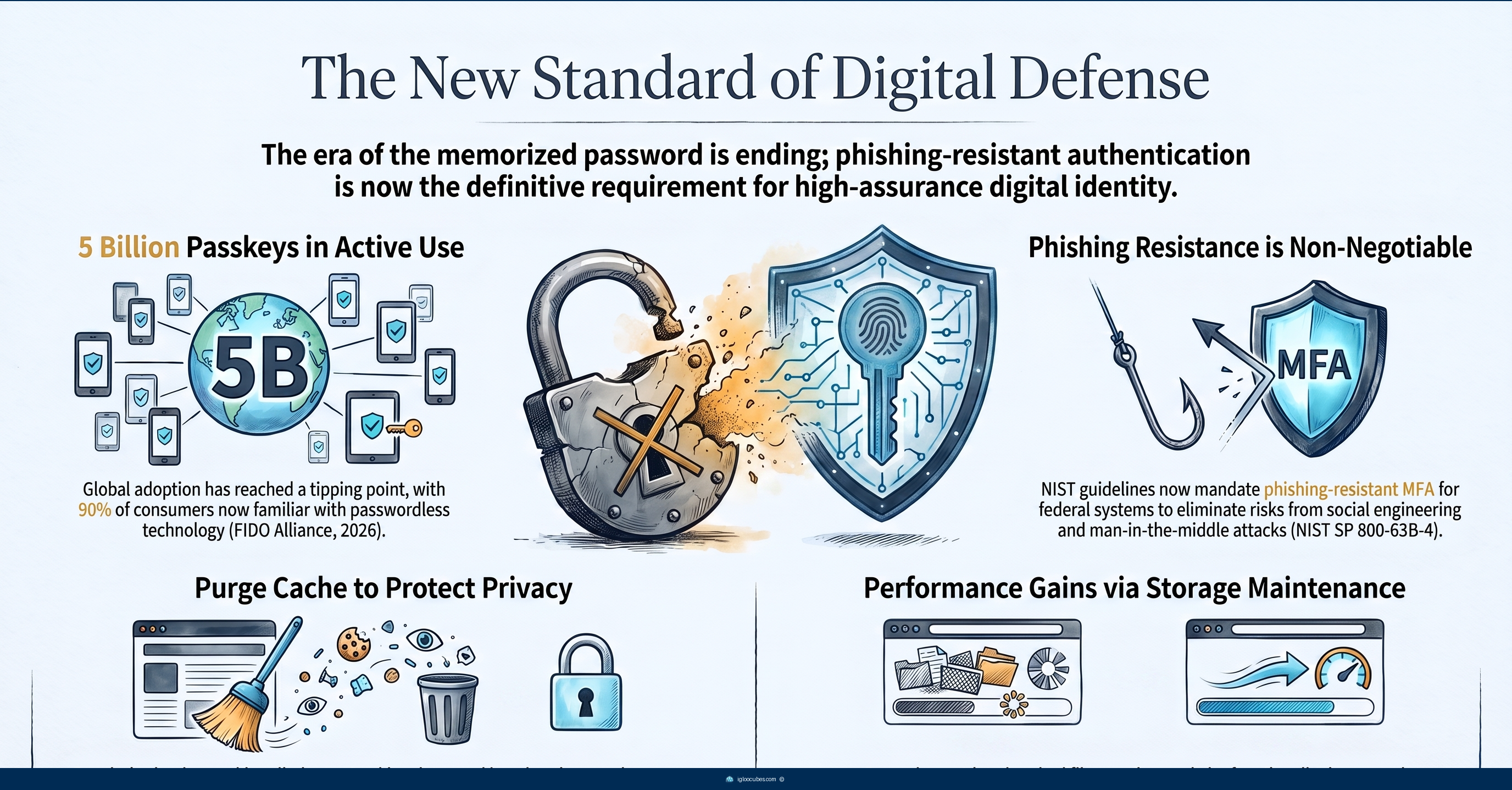
If you’ve ever been told to “change your password every 90 days” or to “use at least one symbol, one number, and one capital letter” — the official government guidance just flipped both of those rules.
In July 2025, NIST — the U.S. agency that sets the gold standard for digital security — published a major update to how we should handle logins. The old rules were making things worse, and the new ones are designed to fix that.
The problem with the old rules
For years, the standard advice was: create complex passwords with weird characters, change them every few months, and never reuse them. The problem is that advice backfired. When someone is forced to come up with “P@ssw0rd1!” every 90 days, they pick predictable patterns, write passwords on sticky notes, or just cycle through minor variations like “P@ssw0rd2!”
NIST’s own research showed that forcing regular password resets actually weakened overall security. People chose weaker passwords because they knew they’d have to memorize a new one soon anyway. The system was working against itself.
What NIST changed
The new rules, published in July 2025 as Special Publication 800-63B-4, make several big changes:
Longer minimums, no more complexity rules. For a password used with another authentication factor (like a code from your phone), the minimum length is 8 characters. For a password standing alone, the minimum is 15 characters. But the part most people will appreciate: websites can no longer force you to include a capital letter, a number, and a special symbol. A passphrase like “my cat ate my homework in 2024” is considered stronger than “P@ssw0rd1!” and is perfectly fine.
No more forced password changes. Unless there’s actual evidence your password was compromised, websites should not make you change it. That 90-day reset policy at work or school? Officially discouraged. Change your passwords when you need to — not because a calendar told you to.
Security questions are out. “What was your first pet’s name?” or “What street did you grow up on?” — these questions are too easy to guess or research. They’re no longer recommended. If a site still uses them, they’re behind the standard.
Text message codes are downgraded. SMS-based two-factor codes still work for now, but NIST no longer considers them “phishing-resistant.” For important accounts — email, banking, anything with your money — app-based codes or hardware security keys are now the recommended standard.
The “approve this login” tap is banned. You know when your phone shows you a login map and asks you to tap “Yes, it’s me”? Attackers figured out that if they send enough of these notifications, people eventually tap “approve” just to make it stop. It’s called MFA fatigue, and NIST now prohibits that simple matching-number approval. The new rule says you must actively enter or transfer a secret between devices — not just tap a button.
Passkeys: the password replacement that’s already here
The big shift happening alongside these rule changes is passkeys. Instead of typing a password, you log in with your face, your fingerprint, or your device’s PIN. The website and your device handle the cryptography in the background. There’s nothing to remember, nothing to type, and nothing for a phishing site to steal — because there’s no password to steal.
As of May 2026, over 5 billion passkeys are in active use. The FIDO Alliance reports that 90% of consumers are now familiar with passkeys, and 75% have enabled them on at least some accounts.
If you have an iPhone or Android phone made in the last few years, passkey support is already built in. Google, Apple, and Microsoft all support them. Major sites like PayPal, eBay, and Amazon are rolling them out. The next time you see an option to “log in with Face ID” or “use your fingerprint” instead of typing a password — that’s a passkey.
The catch is that passkeys only work when the website supports them. Most smaller sites still don’t. So for now, passkeys are an upgrade when available, not a complete replacement.
Who’s affected and how
Federal agencies and contractors are directly bound by these rules. They must implement phishing-resistant authentication — meaning physical smart cards or hardware security keys — for government systems.
Tech platforms have to redesign their login flows. Passwords must be salted and hashed using secure algorithms, and systems must lock an authenticator after a maximum of 100 failed attempts to block brute-force attacks.
High-value targets — executives, IT admins, journalists, activists — are urged to use dedicated hardware security keys like a YubiKey or Google Titan Key. These physical keys provide the highest level of protection because the private key is bound to the chip and cannot be cloned.
Regular consumers get the biggest quality-of-life improvement. Even the UK’s National Cyber Security Centre now recommends migrating away from trying to memorize dozens of unique passwords and instead using a password manager combined with passkeys.
What’s still unsettled
The backup problem. Hardware security keys are the most secure option, but if you lose the physical key, you’re locked out unless you registered a backup key. Software authenticator apps are easier to back up (they sync to the cloud), but those backup secrets exist as digital data in multiple places, making them vulnerable to malware extraction. There’s no perfect solution yet.
Cloud-synced passkeys vs. high-security needs. When your passkey syncs across Apple, Google, or Microsoft’s cloud, it keeps you from getting locked out. But because syncing inevitably means the key can be exported, NIST explicitly prohibits syncable passkeys for the highest security tier (AAL3). The security community is actively debating how to balance consumer convenience with enterprise-grade protection.
Account recovery is the weakest link. Multiple sources agree that the account recovery process — resetting a forgotten password or replacing a lost MFA device — is the most vulnerable point in any security system. If the self-service reset is easy and convenient, it becomes a massive target for social-engineering attacks. Tighten the process too much, and you frustrate users and increase support costs. There is currently no universal standard for what counts as sufficient verification to safely reset a high-privilege account.
The bottom line
The new NIST rules make logins less annoying while making them more secure — that’s a rare combination. Longer passwords with fewer rules, no more forced resets, and a steady shift toward logging in with your face or fingerprint instead of a memorized string of characters.
What you can do right now:
- Make important passwords at least 15 characters (a sentence you’ll remember works great)
- Set up an authenticator app for email and banking
- Try using a passkey the next time a site offers it
- Stop changing your password every 90 days — that advice is officially retired
- If you’re a high-value target, buy a hardware security key